
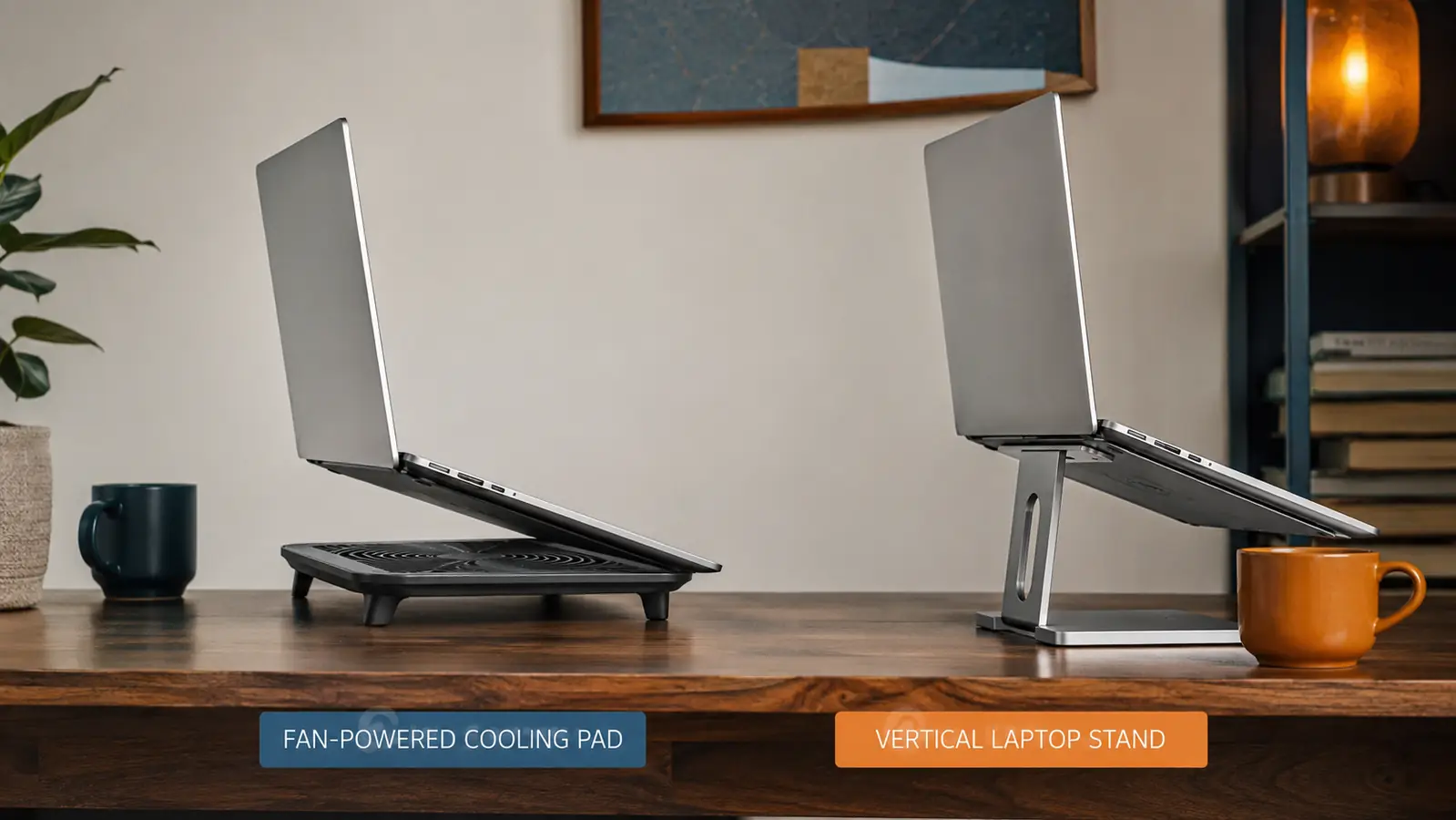
If your laptop runs hot, you've probably landed on one of two fixes: a fan-powered cooling pad or a vertical laptop stand. Short answer, if you're still using your laptop as a laptop, screen open, keyboard in front of you, on your actual lap or a desk, a fan cooling pad like the Havit HV-F2056 does far more for your temperatures. A vertical stand is a different tool entirely. It's built for people who've already moved to an external monitor and keyboard and just need the laptop itself tucked out of the way while it runs closed or in clamshell mode.
I've used both, and not just for a weekend. The Havit pad has sat under my Dell Latitude 5540 for the better part of a year of daily work, tracked with a temperature monitor the whole time. I also spent a full week running a friend's vertical stand back when I was deciding which direction to go, logging the same kind of numbers so the comparison wasn't just a feeling. The results weren't close, and neither was the day-to-day experience of using either one.
This isn't a matter of one product being better made than the other. Both do exactly what they're designed to do. The real question is whether what they're designed to do actually matches your workday. A lot of people buy a vertical stand expecting cooling pad results, and end up disappointed for reasons that have nothing to do with build quality. Here's the full breakdown so you can pick the one that actually fits how you work.
How I Tested Both
The test wasn't fancy. Same laptop, same room, same combination of Outlook, Teams, Chrome with six tabs open, and a spreadsheet running in the background, the kind of load that reflects an actual workday rather than a synthetic benchmark. I ran a free monitoring app the whole time and logged the CPU temperature at the same point in each session, roughly 30 minutes into a call, since that's when heat tends to build to its worst point rather than at the very start when everything's still cool from being idle.
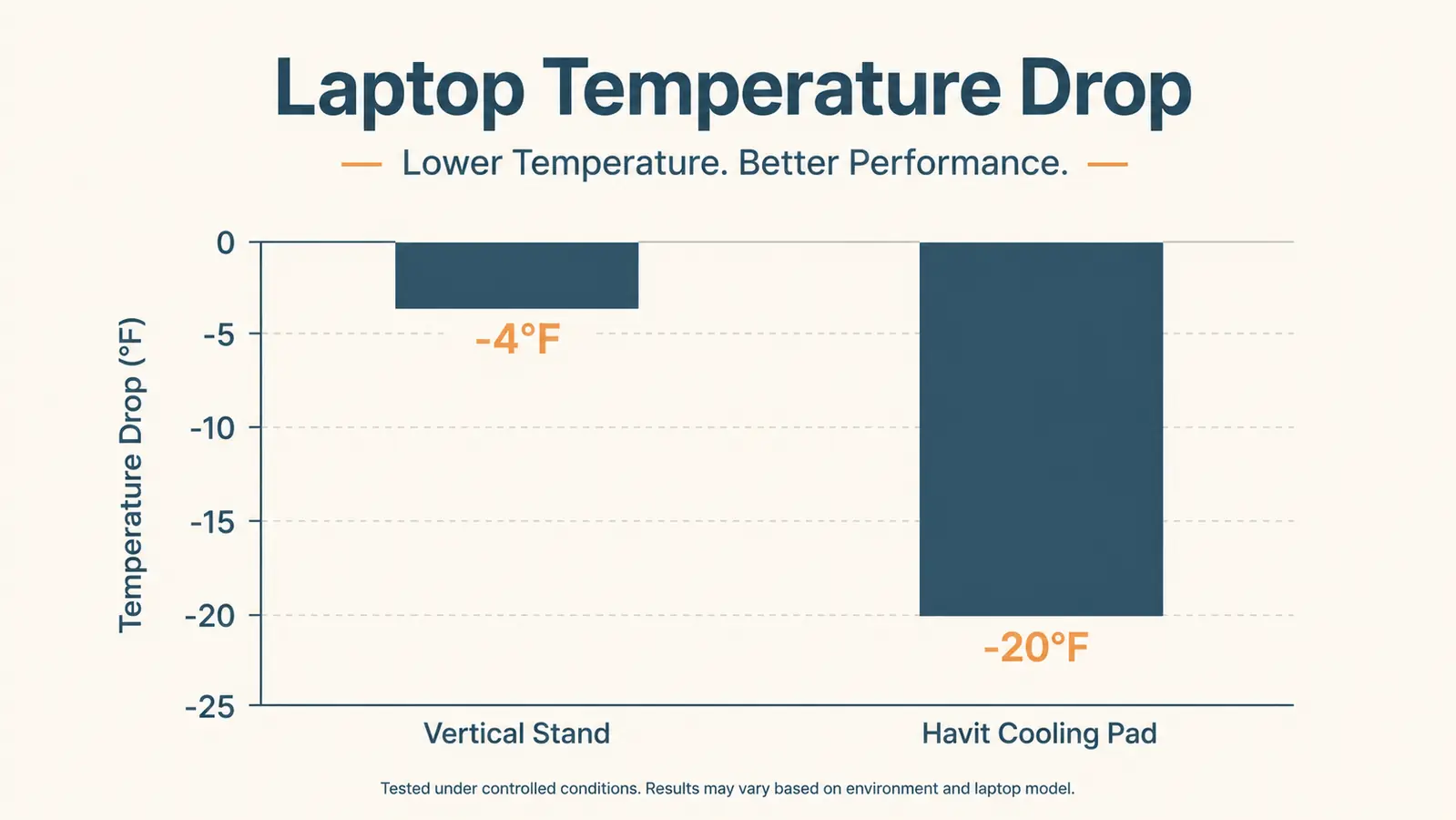
With no cooling accessory at all, the baseline sat in the high 80s to low 90s Celsius during that stretch. Adding the vertical stand, laptop lid closed, external monitor doing the display work, brought it down only marginally, since the stand mostly just changes the angle heat escapes rather than moving new air through the vents. Switching to the Havit, laptop open flat on the desk, fans running on medium, dropped the same reading by a wide, consistent margin, and it stayed consistent across multiple days, not just a single lucky reading.
| Cooling Pad | Vertical Laptop Stand | |
|---|---|---|
| Current Price | Around $30 | Around $20 to $35 depending on the brand |
| Cooling Method | Active, 3 built-in fans pull heat away from the chassis | Passive, relies on open-air elevation only |
| Typical Temp Drop | 10 to 12 degrees Celsius under real workload | 3 to 4 degrees Celsius, mostly at idle |
| Noise | Quiet on low and medium, noticeable on high | Silent, no moving parts |
| Best Laptop Position | Flat or lightly tilted, screen open, keyboard in use | Fully vertical, screen closed, external monitor required |
| Desk Footprint | About 15 by 11 inches, sits flat on the desk | Small footprint, just wide enough to cradle the laptop edge |
| Power Source | USB powered, needs a cable connected to run the fans | No power needed, purely mechanical |
| Portability | Under 2 pounds, packs flat in a laptop bag | Lightweight, but not useful without a docking setup at the destination |
| Best For | Video calls, multitasking, hot rooms, thin laptops that run warm | Dual-monitor desk setups where the laptop runs closed all day |
Where the Havit Cooling Pad Wins
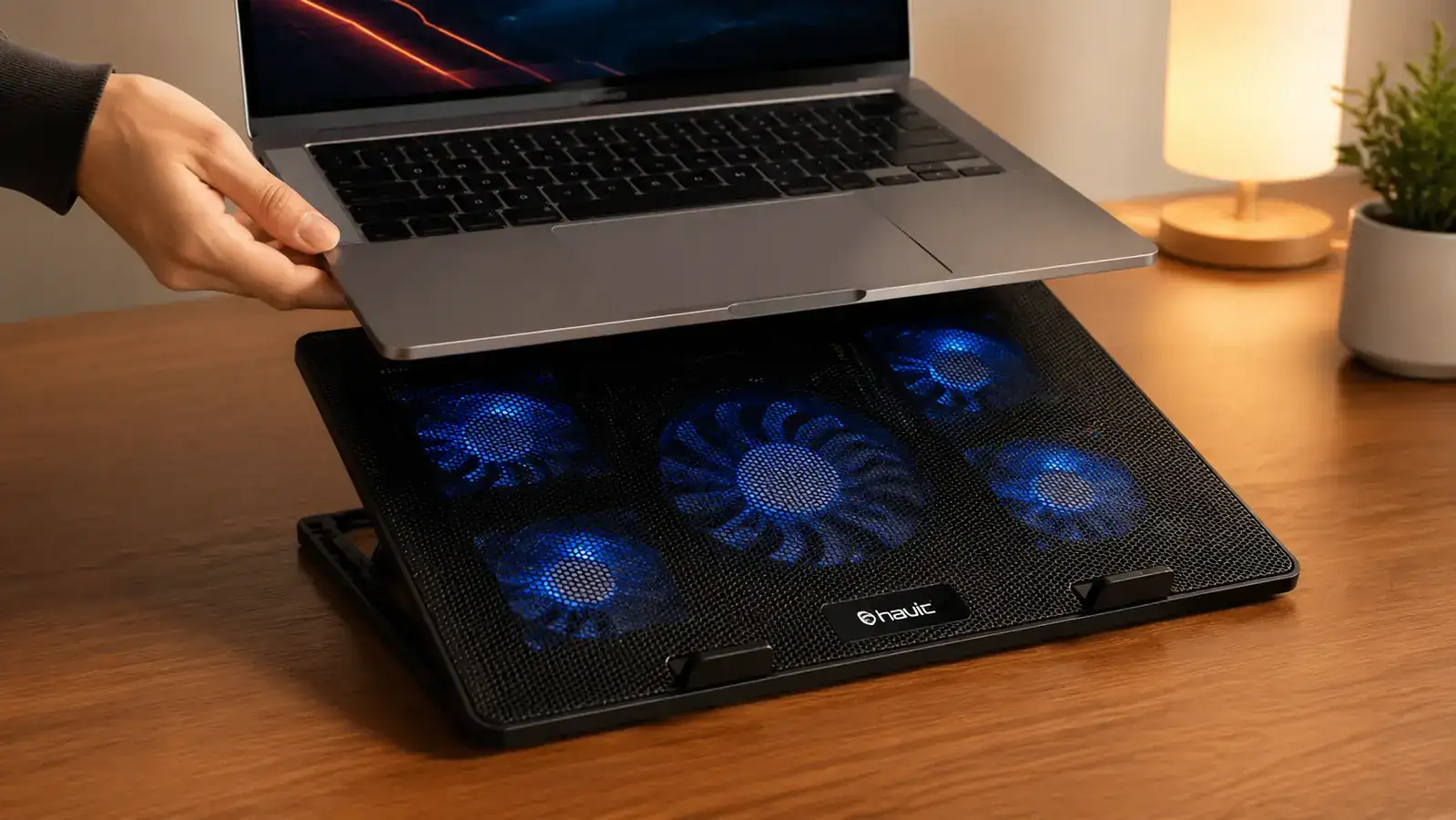
The gap comes down to physics. A vertical stand improves airflow around the laptop's vents by lifting it off the desk and standing it on its edge, and that genuinely helps a little. But it's still relying on whatever air happens to be moving through the room. A fan-powered pad forces air across the bottom panel, which is where most laptops pull their intake from, and that's the difference between a 3 degree improvement and a 10 to 12 degree one. When I logged temps on my own laptop during back-to-back video calls, the Havit kept my CPU in the high 70s to low 80s Celsius under the same workload that used to push past 90. A friend's vertical stand, tested the same way with the laptop open flat instead of vertical since that's how most people actually use one day to day, barely moved the needle.
The Havit also works in the exact situation where overheating actually happens for most remote workers, which is screen open, camera on, second monitor connected, browser tabs piling up. A vertical stand can't help you there because it requires the lid closed and an external display doing the work. If your whole day is spent looking at the laptop's own screen, the cooling pad is doing a job the stand physically cannot do.
There's also a practical middle ground worth mentioning. Some people try to run their laptop screen open while resting on a vertical stand's edge, hoping to get a bit of both worlds. It doesn't really work. Most vertical stands are shaped to cradle a closed lid at an angle, and balancing an open laptop on one is awkward at best and a tipping hazard at worst. If you want active airflow and a usable open screen at the same time, the cooling pad is really the only option built for that combination.
Where a Vertical Laptop Stand Wins
A vertical stand earns its spot in a very specific setup, one where you've already got an external monitor, a separate keyboard and mouse, and the laptop is basically acting as a small computer tower that you never look at directly. In that case, the laptop lid stays closed most of the day, and a vertical stand tucks it into a sliver of desk space you'd otherwise waste. No cables to plug in for fans, no hum in the background, nothing to break. If your laptop already runs cool under closed-lid clamshell mode, which a lot of them do since the fans aren't fighting a warm screen and backlit keyboard right above them, you may not need active cooling at all.
It also wins on desk aesthetics and simplicity. There's no USB cable to route, no fan noise to explain on a call, and nothing that can fail electronically since there's nothing electronic in it. For a minimalist setup where the laptop is purely a docked brain behind a monitor, that simplicity is worth something real, even if it's not solving a heat problem you actually have.
There's also a long-term durability angle worth crediting. A vertical stand has no fans to wear out, no bearings that eventually pick up a faint whine, and no USB port that can loosen over months of daily plugging and unplugging. If you're the type who wants a piece of desk hardware you never think about again, that's a fair trade for giving up the extra cooling.
Still fighting laptop heat through every video call?
If your laptop's screen stays open all day, a vertical stand won't touch the problem. The Havit HV-F2056 is built for exactly this. Check today's price on Amazon and see if it fixes the heat the way it fixed mine.
Amazon Check Today's Price on Amazon →Noise and Everyday Practicality
Noise is the one place the vertical stand wins outright, no asterisks. It's silent because there's nothing in it to make sound. The Havit's fans are quiet on low and medium, quiet enough that they disappear into the background within a few minutes of sitting down, but on the high setting they're noticeable, and if your microphone picks up ambient sound easily, someone on a call might ask what the humming is. That's a real tradeoff, and it's worth testing your own tolerance before committing, especially if you record audio or do a lot of voice-heavy work.
Portability tips back toward the cooling pad, though, at least for anyone who actually uses their laptop away from a fixed desk. The Havit packs flat and light enough to toss in a laptop bag for a work trip without a second thought. A vertical stand is really only useful where you've already set up the external monitor and keyboard it depends on, so it's not something you'd want to travel with. If you split your week between a home office and a coworking space or a client site, that difference matters more than it might seem on paper.

Room Temperature Changes the Math
One thing neither product can fix on its own is a genuinely hot room. If your home office runs warm in the summer, both the cooling pad and the vertical stand are working against a smaller margin, because neither one can generate cold air out of nothing. The Havit still comes out ahead in that scenario since it's actively moving air rather than just changing the laptop's angle, but the raw temperature drop shrinks compared to what you'd see in an air-conditioned room. Worth keeping in mind if you're chasing a specific number rather than just a noticeable improvement.
It's also worth saying plainly that neither of these replaces basic laptop maintenance. A laptop packed with a few years of dust in its internal fan and heat sink will run hot no matter what you set it on, cooling pad included. If you haven't opened your laptop up or blown it out with compressed air in over a year, that's worth doing before or alongside whichever accessory you choose, since it changes how much headroom either one has to work with.
Who Should Buy Which
If your laptop runs hot while you're actually using it, screen open, camera on, calls stacked back to back, get the Havit cooling pad. It's the only one of the two doing real active work against heat, and the price difference is small enough that it's not really a budget decision. If you've already built a dual-monitor desk setup and your laptop mostly runs closed and docked, a vertical stand is the right, simpler tool, and you'd honestly be adding an unnecessary fan and cable to a setup that doesn't need one.
And if you're not sure which camp you're in, ask yourself how often you're looking directly at the laptop's own screen during the workday. If the answer is most of the time, the fans win this comparison every time. If the answer is almost never because a monitor is doing all the visual work, save the ten dollars, skip the fans, and let the stand handle it.
Match the fix to how you actually work.
For anyone whose laptop screen stays open all day, the Havit HV-F2056 brings real, measurable temperature drops that a passive stand can't match. Check today's price on Amazon before your next long meeting day.
Amazon Check Today's Price on Amazon →